
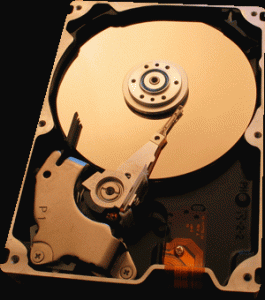
A hard drive seen from the inside.
Hard drive buying guide
External or internal?
2.5″ or 3.5″?
HDD or SSD?
An SSD uses flash memory, which is faster to write to, smaller and consumes less power than an HDD hard drive. Designed for photo editing, music production or video games, it nevertheless has the drawback of offering less storage capacity than an HDD for the same budget (on average 15x more space on an HDD).
The HDD remains the ideal solution for pure, no-frills storage and its lifespan over time is longer than that of an SSD.
To sum up, choose an SSD if you’re looking for performance and speed, and an HDD if storage capacity is your priority.
////
The wifi hard drive
At home as in the office, one of the main advantages of the wifi hard drive is being able to share content between several connected devices (computer, smartphone, tablet, games console, next-gen TVs). Easy to set up thanks to the apps provided by manufacturers, it also has the advantage of being as compact as an external hard drive while also being fully autonomous (rechargeable batteries)
Network hard drives / NAS
Larger and more expensive than a wifi hard drive, the NAS network hard drive allows access to the data it contains from anywhere via a wifi network by connecting to its IP address. Most cloud hard drive models offer automatic data backup, as well as secure access.
Data recovery remains more volatile on SSD and requires more work. Chronodisk offers its expertise in recovering your lost data, whatever the medium.