
Cleanroom: The Laboratory for Recovering Your Computer Data
Data recovery is a task that must be carried out with the utmost care, which is why it is important to entrust it to professionals. At Chronodisk, we do everything possible to ensure that the restoration of your computer files goes smoothly. To achieve this, our laboratory is equipped with a cleanroom to guarantee the success of every intervention.
What Are the Different Types of Hard Drive Failure?
At Chronodisk, we invest our time and financial resources in research and development, in order to find the best methods and techniques for restoring your lost files. Thanks to this work, we have been able to develop solutions that allow us to carry out data recovery.
These solutions allow us to recover files from any type of storage device, in our computer cleanroom, whatever the nature of the incident. To improve recovery conditions, we take care to control humidity and temperature. This regulation allows us to prevent contamination of the equipment and materials we work with by dust.
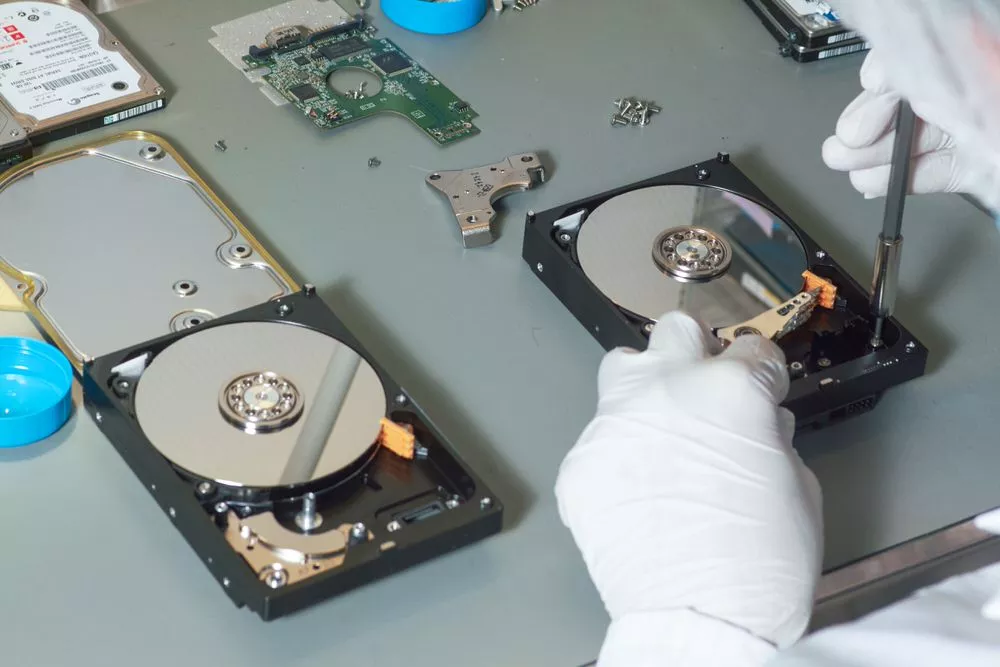
In addition, our file restoration room is certified ISO Class 100, and it meets the standards in force in our industry. It is thanks to this certification that we are able to offer you fast, effective and satisfying services. It is sufficiently modern and suited to the work we carry out.
Why Do We Work in a Cleanroom?
Using a computer cleanroom to recover files improves the chances of the operation succeeding. Indeed, a single speck of dust or a hair on the surface of your hard drive‘s platters is enough to damage it completely, causing total or partial loss of your data.
This is why the environment of the room in which we carry out data recovery is specially treated to reduce the retention of dirt and dust.
How Does Data Recovery in a Cleanroom Work?
The restoration of computer files in our cleanroom is carried out in a professional manner. Our technicians wear protective suits and use certified equipment that allows them to safely handle your hard drive. When they open your storage device, they examine all its internal components (platters, circuit board, read heads) to determine the nature of the failure.
Once they have identified the cause of the failure, they can apply the appropriate techniques to extract your important files. If necessary, they can replace a key part of the hard drive in order to save the data to be recovered.
What Types of Failures Are Handled in the Cleanroom?
In the computer cleanroom, we handle several types of failures that can affect your storage devices. These include in particular:
Logical Failures
These are less severe, and are generally recognized by the inability to access your data. Most of the time, they are caused by:
- Infection of the storage device by malware and viruses
- Improper handling (formatting, accidental deletion, etc.)
- Poor repartitioning of storage devices, etc.
Mechanical Failures
In our computer cleanroom, we also handle mechanical failures affecting storage devices and servers. They are generally caused by:
- Fires and floods
- Drops and impacts
- Significant temperature fluctuations, etc.
Electronic Failures
Your hard drive can also be damaged by an electronic failure. As a result, it stops working and no longer responds. This is generally caused by lightning strikes or corruption of the storage device’s firmware. A visit to our computer cleanroom will allow us to resolve the problem and proceed with data recovery.
How to Facilitate Data Recovery?

Before any visit to our computer cleanroom, you should take certain precautions as soon as you detect a malfunction on your storage device:
- First of all, you should always take care to back up your data on several devices. This will allow you to access it in the event of a failure of your main server
- Next, if you notice a failure, we recommend that you stop all handling of the device in question
- Do not attempt to plug it in or restore the files yourself, as you risk damaging them completely and making extraction impossible
- Finally, contact our team at +33 1 40 60 00 00 and we will be glad to guide you through the process.
At Chronodisk, our laboratory and its computer cleanroom are available to you 24 hours a day, 7 days a week. Because we understand the importance of your data, we do everything we can to help you recover it as quickly as possible. Feel free to trust our 15 years of experience.